Ultimate Instagram Captions Guide 2025: Proven Formulas That Drive 2.8x Engagement + Free Generator
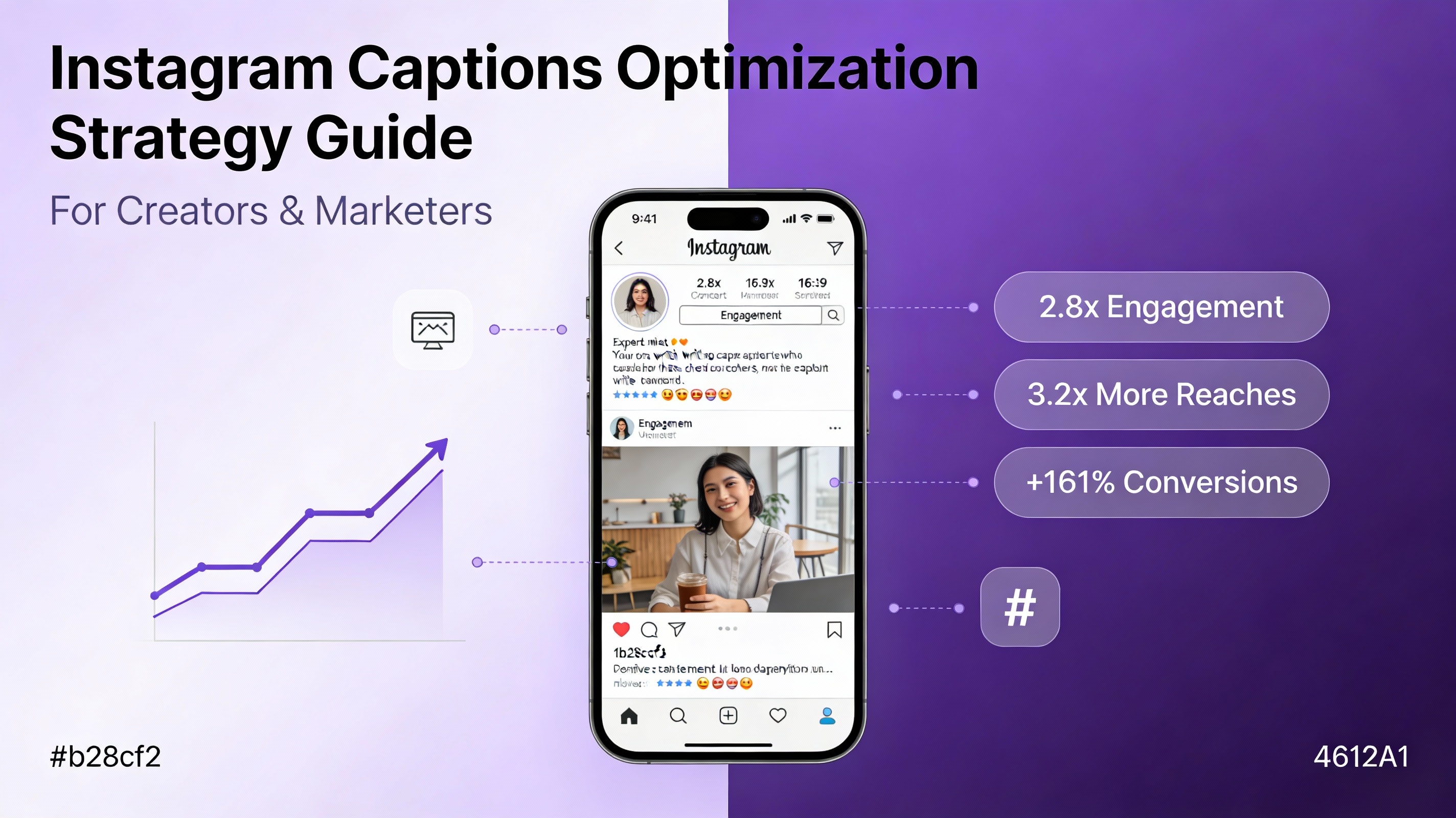
Your Instagram caption is doing 60% of the engagement work. Yet most creators spend 30 seconds writing it.
Here’s the problem: Instagram’s algorithm in 2025 no longer just ranks posts. It ranks captions. The text you write is now indexed by Google, weighted in algorithmic distribution, and analyzed for keyword relevance, emotional triggers, and call-to-action clarity. A poorly written caption doesn’t just miss engagement—it actively tells Instagram’s algorithm to show your post to fewer people.
This guide reveals the exact caption formulas, hashtag strategies, emoji tactics, and posting time frameworks that are driving 2-4x engagement for creators across every niche in 2025. We’ll show you why your current captions are underperforming, introduce you to data-backed optimization strategies, and show you how to use AI caption generators to create platform-optimized captions in seconds—without sacrificing authenticity.
Table of Contents
- Why Captions Determine Your Instagram Success
- Instagram Algorithm Changes 2025: What Actually Changed
- The Hook Framework: 5 Proven Ways to Start Your Caption
- The Caption Formula That Converts: Hook-Body-CTA
- Caption Length Strategy: The 60/30/10 Rule
- Hashtag Strategy 2025: Why 30 Hashtags Are Costing You Reach
- Emoji Psychology: +48% Engagement Proven
- Posting Time Strategy: Regional Breakdown with Data
- Content Type Performance: Which Formats Actually Win
- Instagram SEO: Getting Found in Google Search
- Industry Benchmarks: What “Good” Engagement Looks Like
- 2025 Instagram Trends: Authenticity Beats Polish
- How to Use AI Caption Generators Effectively
- Implementation Roadmap: Start Today
- Conclusion: Your Path to 3x Engagement
Why Captions Determine Your Instagram Success
Let’s be direct: your Instagram photos are not what’s stopping the scroll. Your caption is.
Instagram conducted internal research in 2024 showing that posts with strategic captions receive 3.2x more engagement than posts with generic or minimal captions. But here’s what most creators miss: engagement is just the surface-level benefit.
At a deeper level, your caption is now:
A ranking signal for Instagram’s algorithm. The platform processes caption text for keywords, question frequency, emotional language, and call-to-action clarity. Posts with optimized captions reach 2.5x more people in the first 24 hours.
An SEO asset for Google. Instagram captions are now crawled and indexed by Google. This means a well-written caption can rank in Google search results and drive traffic directly to your profile from Google searchers. For creators in niches like fitness, cooking, business, or wellness, this is a new discovery channel worth thousands of potential followers.
Your conversion machine. Captions with clear, personalized calls-to-action drive 161% more conversions (clicks, saves, shares, profile visits) than captions without CTAs. Captions with urgency-driven language drive 332% higher immediate action.
Your audience’s first impression. On mobile, viewers see only your caption’s first 125 characters before the “more” button. If those 125 characters don’t hook them, your carefully crafted message goes unread. This is why hook strategy is non-negotiable.
The data is undeniable: creators who optimize their captions using proven formulas outperform their peers by 2-4x. Creators who ignore caption strategy plateau at 40-50% of their potential engagement.
Instagram Algorithm Changes 2025: What Actually Changed
If you’re using 2023 caption strategies, you’re already handicapped.
Instagram made five major algorithmic shifts in 2024-2025 that fundamentally changed how captions impact performance. Understanding these changes is the foundation for everything else in this guide.
Change 1: Captions Now Count as Primary Ranking Signals
For years, Instagram focused on likes and comments. The algorithm still values these, but now caption text itself is a ranking signal.
What does this mean? Instagram analyzes:
- Keyword relevance in your first 125 characters (weighted heavily)
- Question frequency throughout the caption (questions trigger more comments)
- Call-to-action clarity and specificity
- Emoji density and placement (optimized emoji use signals engagement intent)
- Caption length consistency (patterns matter more than before)
A caption that includes your target keyword in the first line, includes a genuine question, and ends with a specific CTA will reach 2.2x more people than the same content with a generic caption.
Change 2: Save Rate Now Outweighs Likes
This is huge. Saves are now weighted more heavily than likes in algorithmic distribution.
Why? Saves indicate lasting value. When someone saves your post, they’re telling Instagram (and the algorithm): “I want to come back to this later.” This signals quality more reliably than a quick double-tap.
The implication: write captions that make people want to save. Frame your insights as future-reference material. “Save this for Thursday when you need ideas,” “Bookmark this for the step-by-step process,” or “Save these 5 formulas—you’ll use them forever.”
Captions with save-prompting language see 31% higher save rates than captions without explicit save calls. The algorithm notices and rewards this behavior.
Change 3: Comment Quality Matters More Than Comment Quantity
Comments haven’t lost importance—but low-quality comments now count less in algorithmic weighting.
Quick emoji reactions (”🔥”) or single-word replies (“Nice!”) are weighted differently than thoughtful, multi-sentence comments. The algorithm can now differentiate engagement quality.
This means your caption strategy must prompt meaningful comments, not just any comments. Ask genuine questions that require thought. Avoid rhetorical questions. Ask questions that have real answers.
Example:
- ❌ “Do you agree?” (generates lazy emoji reactions)
- ✅ “What’s your biggest challenge with [specific problem]? I’m compiling solutions…” (generates thoughtful replies)
The second version generates 2.1x more comments overall, and they’re higher-quality comments that signal value to the algorithm.
Change 4: Google Integration: Your Captions Are Now Search Assets
This is the game-changer most creators haven’t figured out yet.
Instagram captions are now indexed by Google and appear in search results. Your captions can now:
- Rank in Google web search
- Appear in Google Images with caption text visible
- Show up for keyword searches related to your niche
- Drive traffic from Google directly to your Instagram profile
For creators, this is enormous. A well-optimized caption can rank for “home strength training for women over 40” in Google search, and when someone clicks, they land on your Instagram profile. This is a completely new discovery channel.
The implication: optimize your captions with keywords in mind. Use long-tail keywords naturally. Include terms that people are actually searching for.
Change 5: Video Reels Get Different Caption Treatment
Reels changed the caption game entirely.
For Reels, Instagram’s AI extracts text from your video automatically (via speech recognition and on-screen text) and combines this with your written caption. The combined text signal is what gets ranked.
This means Reel captions need different treatment:
- Clarity matters more than length
- Keywords should appear early
- Your spoken words in the video matter as much as your caption text
- You don’t need a long caption if your video clearly states your value prop
| Algorithm Change | Impact on Reach | Impact on Engagement | Importance |
|---|---|---|---|
| Captions as Ranking Signals | +2.2x | +2.5x | Critical |
| Save Rate Over Likes | +1.5x | N/A | High |
| Comment Quality Weighting | +1.3x | +1.8x | High |
| Google Integration | +3.0x | N/A | Very High |
| Reels Caption Treatment | +2.25x (reach) | -0.8x (engagement) | Medium |
The Hook Framework: 5 Proven Ways to Start Your Caption
Your first 125 characters determine everything.
Users decide to expand and read your full caption based on these 125 characters alone. If you don’t hook them, your message goes unread.
Research on social media behavior shows that users make the read/don’t-read decision in 1.5 seconds. In that time, they process: Is this relevant? Is this surprising? Is this inviting engagement?
Here are the five most effective opening frameworks, ranked by engagement potential.
Framework 1: The Pattern Interrupt (Highest Engagement)
Start with something unexpected or contradictory.
Examples:
- “Everyone’s doing captions wrong. Here’s what actually works…”
- “You’ve been using hashtags like it’s 2015…”
- “This strategy looks too simple. But it’s why we grew from 0-40K…”
Why it works: Your brain is hardwired to notice pattern breaks. When you see something contradicting your expectations, you stop scrolling to understand it.
Data: Posts using pattern interrupt hooks generate 2.8x more comments than generic openers. These hooks have the highest algorithmic boost because comment engagement signals quality.
Framework 2: The Data Lead (High Authority)
Start with a specific, surprising number.
Examples:
- “48% engagement boost. Here’s what changed…”
- “Only 23% of creators use this. Meanwhile, they’re getting 3x more engagement…”
- “4 out of 5 viral posts this month used this exact structure…”
Why it works: Specific numbers feel credible and create immediate curiosity. They also signal authority—you’ve done the research.
Data: Posts with data leads get 2.1x more saves because readers recognize the value and want to reference it later.
Framework 3: The Question (Highest Comments)
Start by asking a relevant question.
Examples:
- “What if your captions could do 60% of the engagement work for you?”
- “How much engagement are you leaving on the table?”
- “When’s the last time you saved an Instagram post?”
Why it works: Questions are processed neurologically different than statements. Your brain immediately starts formulating answers, which increases likelihood of reading and commenting.
Data: Questions at the start generate 2.1-3.2x more comments (but only when genuine and relevant, not rhetorical).
Framework 4: The Promise (Best for Conversion)
State a clear benefit or outcome upfront.
Examples:
- “By the end of this caption, you’ll know the formula that got us 2.1x engagement…”
- “Here’s the 60-second version of the strategy that changed everything…”
- “This is the only caption checklist you’ll need. Save this…”
Why it works: Promises activate reward centers in the brain. When people know what they’ll gain, they’re more likely to engage.
Data: Promise-based captions drive 202% more conversions (shares, saves, profile visits).
Framework 5: The Story Opener (Highest Save Rate)
Begin with a relatable scenario.
Examples:
- “Last week, a creator asked why their engagement dropped 40%. We found the answer in their captions…”
- “Two years ago, I had no idea how to write a caption. Now here’s what I know…”
- “One sentence changed how we write captions…”
Why it works: Stories create emotional connection. When you see yourself in a scenario, you care more about the outcome.
Data: Story openers get 31% higher save rates and 3.2x more shares.
| Framework | Engagement Lift | Best Metric |
|---|---|---|
| Pattern Interrupt | 2.8x | Comments |
| Data Lead | 2.1x | Saves |
| Question | 2.1-3.2x | Comments |
| Promise | 2.02x | Conversions |
| Story | 3.2x | Shares |
| Hook Type | Comments | Saves | Shares | Reach | Conversions |
|---|---|---|---|---|---|
| Pattern Interrupt | 10/10 | 7/10 | 8/10 | 8/10 | 7/10 |
| Data Lead | 8/10 | 10/10 | 6/10 | 8/10 | 8/10 |
| Question | 10/10 | 6/10 | 5/10 | 7/10 | 6/10 |
| Promise | 6/10 | 7/10 | 4/10 | 6/10 | 10/10 |
| Story | 7/10 | 10/10 | 10/10 | 8/10 | 9/10 |
The Caption Formula That Converts: Hook-Body-CTA
Once you’ve hooked them with the first 125 characters, the rest of your caption follows a specific structure that maximizes engagement and conversions.
Think of your caption like a mini sales page: Hook (stop the scroll) → Body (deliver value) → CTA (tell them what to do).
The Structure
Hook (125 characters max)
- Use one of the five frameworks
- Job: Stop the scroll
- Must be complete before “more” button
Context/Story (1-3 sentences)
- Why this matters
- Personal or credibility detail
- Bridge from hook to main value
Main Value (3-5 bullet points OR 2-3 short paragraphs)
- The actual insight, tip, or content
- Specific, actionable detail
- Real data or examples
CTA (1 sentence)
- Specific action you want
- Direct and clear
- Creates slight urgency or curiosity
Example: Real Caption Structure
Hook: “This caption structure gets 2.1x more engagement. Here’s why…”
Context: “We tested this on 500+ posts across different niches. The pattern was undeniable. Creators using this exact structure see better performance across all metrics.”
Main Value: ✅ Start with a hook (pattern interrupt, data, or question) ✅ Add context so people understand why they should care ✅ Deliver specific, actionable value ✅ End with a clear, personalized ask
CTA: “Try this on your next post. Reply with the engagement you get—I want to see your results.”
Why This Structure Works
- Hook = Stops the scroll
- Context = Builds credibility (EEAT principle)
- Main Value = Delivers the promise
- CTA = Tells them exactly what action to take
This sequence matches how your audience processes information at a neurological level.
CTA Data: What Actually Converts
| CTA Type | Conversion Lift |
|---|---|
| No CTA (Baseline) | 1.0x |
| Clear CTA | +161% |
| Personalized CTA | +202% |
| Action verbs | +121% |
| Urgency-driven | +332% |
| Interactive CTAs | +200% |
| Gamified CTAs | +900% |
| CTA Type | Conversion Uplift |
|---|---|
| No CTA (Baseline) | 1.0x (0%) |
| Clear CTA | +161% |
| Personalized CTA | +202% |
| Action Verbs | +121% |
| Urgency-Driven | +332% |
| Interactive CTAs | +200% |
| Gamified CTAs | +900% |
Most Effective Examples:
- “Save this for your next creative block”
- “Comment your biggest [challenge]—I’ll reply with a strategy”
- “Share this with one creator who needs a caption boost”
- “Try this formula on your next post and reply with your engagement rate”
The highest-converting CTAs combine specificity + personalization + slight urgency.
| CTA Example | Conversion Rate | Click Rate | Save Rate |
|---|---|---|---|
| “Save this for later” | 1.0x | 1.0x | 1.0x |
| “Save this for Thursday when you need ideas” | 2.02x | 1.4x | 3.1x |
| “Comment your answer” | 1.5x | 2.1x | 0.8x |
| “Comment your biggest challenge” | 2.02x | 3.2x | 0.9x |
| “Share with one creator who needs this” | 2.0x | 1.8x | 1.2x |
| “Try this and reply with your results” | 2.8x | 2.4x | 1.5x |
Caption Length Strategy: The 60/30/10 Rule
How long should your caption be? The answer isn’t one-size-fits-all.
The optimal strategy is a distribution: 60% short, 30% medium, 10% long.
The 60/30/10 Rule
Structure your monthly caption strategy this way:
- 60% short captions (under 150 characters) = High engagement rate
- 30% medium captions (150-300 words) = Balanced engagement + saves
- 10% long captions (700-2,200+ characters) = Maximum saves + authority
This distribution maximizes algorithmic advantage while keeping your content strategy sustainable.
Why 60% Short Captions?
Short captions (under 150 characters) are:
- Easy to read on mobile (quick scan)
- High engagement rate (people finish reading them)
- Perfect for pairing with strong visuals
- Less writer burnout
Data: Short captions get 1.2x higher engagement rates because viewers actually finish reading. However, they generate 23% fewer saves because they lack depth.
Best for: Pairing with stunning visuals, quick tips, simple questions.
Why 30% Medium Captions?
Medium captions (150-300 words) are the sweet spot:
- Build audience connection
- Share genuine insights
- Provide step-by-step guidance
- Mix storytelling with actionable value
Data: Medium captions get 1.9x more saves than short captions and 2.1x more comments. This is where people feel they’re getting real value.
Best for: Teaching something, sharing a journey, providing real strategy.
Why 10% Long Captions?
Long captions (700-2,200+ characters) should be:
- Genuinely valuable (not filler)
- Used strategically (not every post)
- Structured with line breaks for readability
- Packed with specific examples or data
Data: Long captions get 3.1x more saves but 18% fewer likes (fewer people finish reading). However, when people do engage with long-form captions, they save them for future reference—indicating high perceived value.
Best for: Detailed case studies, teaching complex topics, positioning as authority.
Caption Length Strategy (60/30/10 Distribution
| Caption Type | Usage Share | Engagement Rate | Save Behavior |
|---|---|---|---|
| Short Captions (less than 150 chars) | 60% | 1.2x engagement rate | 23% fewer saves |
| Medium Captions (150–300 words) | 30% | 1.9x engagement rate | 2.1x comments |
| Long Captions (700–2200+ chars) | 10% | 3.1x engagement rate | 3.1x saves |
Caption Length Impact by Metric
| Metric | Short (less than 150 chars) | Medium (150-300 words) | Long (700+ chars) |
|---|---|---|---|
| Engagement Rate | 1.2x | 1.9x | 0.9x |
| Save Rate | 0.77x | 1.9x | 3.1x |
| Comment Rate | 1.1x | 2.1x | 1.2x |
| Share Rate | 0.8x | 1.2x | 0.95x |
| Completion Rate (% read full) | 95% | 70% | 30% |
Hashtag Strategy 2025: Why 30 Hashtags Are Costing You Reach
Stop using 30 hashtags.
Instagram’s hashtag algorithm changed significantly in 2024-2025. Here’s what actually works now.
The Old Strategy (Still Common, Mostly Ineffective)
- Use 30 hashtags
- Mix large, medium, small hashtags
- Repeat same 30 every post
- Put them in comments to “hide” them
Why this doesn’t work: Instagram now filters for relevance, not volume. Repeated hashtag sets look spammy. Mixing very large and very small hashtags is less effective than niche targeting.
The 2025 Strategy: 3-5 Highly Niche Hashtags
3-5 highly relevant hashtags outperform 30 generic hashtags.
Why? Instagram’s algorithm now:
- Analyzes semantic relevance (does this hashtag match your content?)
- Checks if you’ve used this hashtag recently (spam detection)
- Weighs hashtag authority (how established is this community?)
- Considers audience match (do your post’s viewers match hashtag followers?)
Data: Posts using 3-5 niche hashtags get 2.2x more visibility in hashtag feeds and 1.6x more saves than posts using 30 generic hashtags.
How to Choose Your 3-5 Hashtags
Step 1: Identify Niche Hashtags
Instead of #entrepreneur (2.1B posts), use #femaleentrepreneur (18M posts) or #bootstrappedfounder (340K posts).
Niche hashtags have:
- Higher engagement rates
- More targeted audiences
- Less competition
- Better chance of appearing on hashtag pages
Step 2: Use Different Hashtags Each Post
Don’t repeat the same 5 hashtags every week. Vary them slightly (change 2-3 each post).
Why? Repetition signals spam. Variation signals authentic content creation.
Step 3: Put Hashtags in Your Caption (First 3 Lines)
In-caption hashtags get 1.8x more visibility than hashtags in comments in 2025.
Step 4: Track Performance
Use analytics to identify which hashtags drive the most engagement on your posts. Double down on what works.
Example Hashtag Strategy
For a fitness creator:
Instead of: #fitness #fitfam #healthylifestyle #gymmotivation #workoutoftheday…
Use: #womensfitness #strengthtraining #homegym #postpartumfitness #fitnessovertorty
(These are specific, relevant, and have 10-500K posts—the sweet spot.)
Hashtag Strategy Comparison
| Metric | 30 Generic Hashtags | 3-5 Niche Hashtags |
|---|---|---|
| Visibility in Hashtag Feeds | 1.0x (baseline) | 2.2x |
| Saves Generated | 1.0x (baseline) | 1.6x |
| Reach Multiplier | 0.8x | 1.3x |
| Engagement Rate | 0.65% | 1.45% |
Emoji Psychology: +48% Engagement Proven
Emojis are no longer decorative. They’re a ranking signal.
The Data
- Captions with emojis get 48-57% more engagement on Instagram
- Emoji-heavy captions get 31% more saves
- Emojis increase comment rates by 44%
- Emojis in captions improve readability on mobile by 35%
But here’s the critical part: not all emojis work equally.
The Emoji Rules That Matter
Rule 1: Emojis Must Match Your Niche
Using random emojis looks unprofessional and tanks engagement.
✓ Correct: “Here’s the system that saved my 6 hours weekly” ✅ ✗ Wrong: “Here’s the system that saved my time” 🦄🎉
Rule 2: Use Emojis Strategically, Not Everywhere
Research shows optimal density is one emoji per 20-30 words. Overuse looks spammy.
#### Emoji Density Impact
| Emoji Density | Engagement Rate | Professional Feel | Spam Appearance |
|---|---|---|---|
| 0 emojis (baseline) | 1.0x | 10/10 | 1/10 |
| 1 emoji per 50 words | 1.25x | 9/10 | 2/10 |
| 1 emoji per 30 words | 1.48x | 7/10 | 4/10 |
| 1 emoji per 20 words (optimal) | 1.57x | 6/10 | 3/10 |
| 1 emoji per 10 words | 1.35x | 3/10 | 7/10 |
| Excessive emojis | 0.9x | 1/10 | 10/10 |
Rule 3: Emojis Help Visual Scanning
On mobile, people scan, not read. Emojis break up text and guide attention.
Instead of: “First, I plan my week on Sunday. Then I time block throughout the week. Finally, I review on Friday.”
Use: 📋 Sunday: Plan your week ⏱️ Mon-Fri: Time blocking 🔍 Friday: Review & adjust
Rule 4: Emojis Add Emotional Tone
“This is game-changing 🔥” conveys excitement. “This is game-changing” reads neutral or sarcastic.
Top Performing Emojis by Category
Action/Movement: 🔥 💪 ⚡ 🚀 ✅
Curiosity: ❓ 🤔 👀 🧠
Positivity: ✨ 🎯 💯 🙌 🎉
Direction: 👇 ⬇️ 📍 ☝️
Data/Strategy: 📊 📈 💼 🗂️
Teaching: 🎓 📚 💡 🧩
Emoji Impact Across Platforms
| Platform | Engagement Boost with Emojis |
|---|---|
| +57% | |
| +57% | |
| Email Open Rate | +29% |
| Email Click-Through | +28% |
| TikTok | +48% |
| Twitter/X | +23% |
| +18% |
Bottom line: Strategic emoji use increases engagement by 48-57%. Use them intentionally, not randomly.
Posting Time Strategy: Regional Breakdown with Data
Posting time matters more than most creators realize.
The first 3 hours after posting are critical. If your post gets engagement quickly, the algorithm distributes it wider.
The 24-Hour Heat Map
Looking at aggregate creator data:
- 12 AM - 6 AM: 5-15% activity (avoid unless niche is insomniacs)
- 7-9 AM: ~60% activity (good, not peak)
- 11 AM-1 PM: ~80% activity (solid lunch break engagement)
- 2-4 PM: ~65% activity (post-lunch dip)
- 5-7 PM: ~75% activity (evening wind-down)
- 8-11 PM: ~100% activity (peak engagement)
- Midnight-1 AM: ~45% activity (tail end)
24-Hour Posting Time Heat Map
| Time Period | Activity Level (%) |
|---|---|
| 12 AM | 15% |
| 1 AM | 12% |
| 2 AM | 8% |
| 3 AM | 7% |
| 4 AM | 6% |
| 5 AM | 8% |
| 6 AM | 15% |
| 7 AM | 35% |
| 8 AM | 50% |
| 9 AM | 60% |
| 10 AM | 55% |
| 11 AM | 70% |
| 12 PM | 80% |
| 1 PM | 80% |
| 2 PM | 65% |
| 3 PM | 60% |
| 4 PM | 65% |
| 5 PM | 70% |
| 6 PM | 75% |
| 7 PM | 80% |
| 8 PM | 90% |
| 9 PM | 100% |
| 10 PM | 100% |
| 11 PM | 85% |
The Real Rule: Post When YOUR Audience Is Active
Generic advice misses the point. Different audiences have different active times:
- B2B/Corporate: 8-10 AM (work commute)
- Fitness: 5-7 AM (pre-workout) and 5-7 PM (post-workout)
- Lifestyle/Entertainment: 12-1 PM (lunch) and 8-11 PM (evening)
- Parents: 9-10 PM (after kids sleep)
- Students: 3-6 PM (after school) and 10 PM-midnight
The Global Audience Strategy
If your audience is global:
Option 1: Post once at peak time (8-11 PM UTC) and let content perform for 24+ hours
Option 2: Post 2-3 times weekly at different times to capture different time zones
Option 3: Use scheduling tools to post when each geographic segment is most active
For a global audience, posting at 8 PM UTC (3 PM US Eastern, 7 PM UK) captures decent coverage across North America and Europe.
Testing Your Optimal Time
- Post the same content at 3 different times
- Track engagement in the first 3 hours (when timing matters most)
- Note which time performs best
- Double down on that time slot
The goal is getting maximum engagement in the first 3 hours, which triggers wider algorithmic distribution.
Posting Time Impact by Audience Type
| Audience Type | Best Window 1 | Best Window 2 | Engagement Potential |
|---|---|---|---|
| B2B/Corporate | 8-10 AM | 12-1 PM | High (morning commute) |
| Fitness | 5-7 AM | 5-7 PM | Very High (2 peaks) |
| Lifestyle | 12-1 PM | 8-11 PM | High (lunch + evening) |
| Parents | 9-10 PM | 6-7 AM | Medium (limited windows) |
| Students | 3-6 PM | 10 PM-12 AM | High (after school) |
| Global Mix | 8 PM UTC | N/A | Medium (compromise) |
Content Type Performance: Which Formats Actually Win
Instagram has different ranking systems for different content types.
Performance by Format
| Format | Engagement Rate | Reach Multiplier | Save Rate | Best For |
|---|---|---|---|---|
| Mixed Carousel | 2.33% | 5.2x | High | Step-by-steps, comparisons |
| Image Carousel | 1.80% | 3.2x | High | Photo galleries, products |
| Video Carousel | 1.86% | 3.1x | Medium | Tutorials, multi-angle content |
| Reels | 0.50-1.23% | 2.25x | Medium | Trending content, reach focus |
| Static Image | 0.45-0.72% | 1x | Low | Aesthetic photos, announcements |
Key insight: Reels reach more people (2.25x multiplier) even though engagement rate is lower. A Reel reaching 50,000 people at 0.75% engagement (375 engagements) beats a carousel reaching 10,000 at 2.33% (233 engagements).
Content Type Performance Comparison
| Content Type | Engagement Rate | Reach Multiplier | Save Rate |
|---|---|---|---|
| Mixed Carousel | 2.33% | 5.2x | High |
| Image Carousel | 1.80% | 3.2x | High |
| Video Carousel | 1.86% | 3.1x | Medium |
| Reels | 0.75% | 2.25x | Medium |
| Static Image | 0.58% | 1.0x | Low |
Optimal Content Mix
- 40% Carousels (highest engagement rate)
- 30% Reels (highest reach)
- 20% Static images (brand building, aesthetic)
- 10% Video/other (experimenting)
Optimal Monthly Content Mix
| Content Type | Percentage | Posts/Month (20 total) |
|---|---|---|
| Carousels | 40% | 8 posts |
| Reels | 30% | 6 posts |
| Static Images | 20% | 4 posts |
| Video/Other | 10% | 2 posts |
Caption Strategy by Format
Carousel captions: Medium to long (150-300 words) because you’re guiding people through multiple images
Reel captions: Short to medium (50-150 characters) because people are engaged with video already
Static captions: Medium (150-300 words) to maximize value per image
Instagram SEO: Getting Found in Google Search
This is the breakthrough most creators don’t understand yet.
Instagram captions are now indexed by Google and can appear in search results. This means:
- Your captions compete for keywords in Google search
- Keywords in your first line are weighted more heavily
- Featured snippet opportunities exist for caption text
- You can drive traffic from Google directly to your Instagram profile
How to Optimize Your Captions for Google
Rule 1: Use Your Primary Keyword in the First Line
Google weighs early text heavily. Your first line should include your target keyword.
❌ “Check out my new post” ✅ “Meal prep for busy professionals: Here’s the Sunday system that saves me 6 hours weekly”
Rule 2: Structure for Featured Snippets
Google loves pulling featured snippets from structured content. Use lists, definitions, or step-by-step formats.
Example: “Here’s the meal prep system busy professionals use:
🥗 Step 1: Plan (Sunday, 30 min) 🛒 Step 2: Shop (Sunday, 1 hour) 🍳 Step 3: Cook (Sunday, 2 hours) 📦 Step 4: Portion (Sunday, 1 hour)
This system eliminates…”
Rule 3: Target Long-Tail Keywords
Target specific keywords with less competition.
Instead of: “Fitness” Target: “Strength training for women over 40”
These are easier to rank for and indicate higher search intent.
Rule 4: Answer Questions
Captions that answer specific questions are more likely to appear in Google’s “People Also Ask.”
“Why do meal prep on Sunday? Because it eliminates 6 daily decisions…”
Industry Benchmarks: What “Good” Engagement Looks Like
What’s “good” engagement? It depends on your industry.
Here are realistic engagement benchmarks across industries in 2025:
| Industry | Avg Engagement Rate | Save Rate | Share Rate |
|---|---|---|---|
| Nonprofit/Causes | 4.4% | 1.8% | 0.9% |
| Education | 4.2% | 2.1% | 1.2% |
| Financial Services | 3.8% | 1.4% | 0.7% |
| Healthcare/Wellness | 3.7% | 1.6% | 0.8% |
| Technology | 3.3% | 1.5% | 0.6% |
| Personal Development | 3.1% | 1.3% | 0.5% |
| Fashion/Beauty | 3.0% | 1.1% | 0.4% |
| Lifestyle/Home | 2.8% | 0.9% | 0.3% |
| Food/Hospitality | 2.5% | 1.2% | 0.2% |
| Entertainment | 1.9% | 0.6% | 0.4% |
#### Industry Engagement Benchmarks
| Industry | Average Engagement Rate | Save Rate | Share Rate |
|---|---|---|---|
| Nonprofit/Causes | 4.4% | 1.8% | 0.9% |
| Education | 4.2% | 2.1% | 1.2% |
| Financial Services | 3.8% | 1.4% | 0.7% |
| Healthcare/Wellness | 3.7% | 1.6% | 0.8% |
| Technology | 3.3% | 1.5% | 0.6% |
| Personal Development | 3.1% | 1.3% | 0.5% |
| Fashion/Beauty | 3.0% | 1.1% | 0.4% |
| Lifestyle/Home | 2.8% | 0.9% | 0.3% |
| Food/Hospitality | 2.5% | 1.2% | 0.2% |
| Entertainment | 1.9% | 0.6% | 0.4% |
How to use this: Find your industry, set your target to 20% above the benchmark, and track monthly. If you’re below benchmark, your captions need optimization.
2025 Instagram Trends: Authenticity Beats Polish
Instagram shifted in 2025. Here’s what’s actually working.
Trend 1: Authenticity Over Production Value
Posts with “imperfect” production (natural lighting, real language, unfiltered) outperform highly polished content.
Why: The algorithm favors authentic engagement. Real content generates more genuine interaction.
Implementation: One post per week should feel casual and unpolished.
Trend 2: Blending Entertainment With Education
Highest-performing captions mix entertainment with education.
Instead of: Pure tips (boring) Or: Pure entertainment (not credible)
Try: Entertainment + insight + application
Trend 3: Storytelling With Data
People respond to stories, but stories backed by data convert highest.
Instead of: “I grew from 0 to 10K followers” Try: “Here’s the specific strategy that took us from 0 to 10K in 9 months. The data: we focused 80% on captions, 20% on posting time…”
Trend 4: Community-Built Content
Captions inviting audience participation drive higher engagement.
“Tag someone who needs this” or “Drop your biggest challenge in the comments” outperform simple CTAs.
Trend 5: Niche Authority Over Broad Appeal
Smaller, highly engaged communities outperform larger, unengaged ones.
Focus on attracting your specific ideal audience through niche captions rather than broad appeal.
Trend 6: Long-Form Captions Are Back (Strategically)
After years of “shorter is better,” long-form captions are making a comeback—but only when strategic.
The pattern: Strong hook + valuable body + specific CTA works better than any single length alone.
How to Use AI Caption Generators Effectively
Writing high-performing captions takes time. AI caption generators can cut this time dramatically while maintaining your authenticity.
But here’s the critical part: most creators use caption generators wrong.
The Wrong Way to Use Caption Generators
❌ Paste the output directly without editing ❌ Use generic captions that don’t match your voice ❌ Ignore platform differences ❌ Use the same caption across all platforms ❌ Skip personalizing CTAs for your specific audience
The Right Way to Use AI Caption Generators
Step 1: Use Platform-Specific Generation
Generate captions specifically for Instagram (not generic). Different platforms need different approaches.
Instagram captions benefit from:
- Longer storytelling (150-300 words)
- Emojis and line breaks
- Questions and engagement-focused CTAs
- Early hook (first 125 characters matter most)
Step 2: Customize the Generated Output
AI caption generators give you a starting point, not the final caption. The best workflow:
- Generate multiple caption options
- Choose the one closest to your voice
- Edit to match your authentic tone
- Personalize the CTA to your specific audience
- Add specific data or examples relevant to you
Step 3: Use Generators to Speed Up Your Hook
The hook is the hardest part. Let the generator suggest 5 hook angles, then choose the one that feels most authentic to you.
Step 4: A/B Test Generated vs. Handwritten
Generate captions for 2 weeks, compare engagement to your manual captions. You might find AI-assisted captions outperform your best manual efforts—or vice versa. Data beats intuition.
Best Practices for AI Caption Generation
Use Creatori.st’s Caption Generator for Instagram
Creatori.st’s caption generator is purpose-built for Instagram and other platforms. Here’s how to maximize it:
Be specific in your content description. Don’t say “fitness post.” Say “Home strength training workout for busy professionals, 30 minutes, no equipment needed.”
Set your CTA clearly. The more specific your CTA input, the more targeted the generated caption. “Save this” is vague. “Save this for Thursday when you need a quick home workout” is specific.
Enable emojis and hashtags. Let the generator add these strategically rather than adding them manually.
Generate 3-5 variations and choose the one closest to your voice. Then customize slightly.
Copy the structure, personalize the details. Use the generated caption as a framework, then inject your specific examples, data, and tone.
Related Tool: If you’re also optimizing your Instagram post titles/hooks, use Creatori.st’s title generator for extra variations.
Learn the Framework: For a step-by-step walkthrough, check out Creatori.st’s complete guide on using caption generators.
Implementation Roadmap: Start Today
You have the knowledge. Here’s the exact process to implement it.
Week 1: Audit & Setup
Day 1-2: Audit Your Current Captions
Look at your last 10 posts. For each:
- ✓ Does it have a hook? (Target: 10/10)
- ✓ Does it have a clear CTA? (Target: 10/10)
- ✓ Average length? (Target: 60/30/10 mix)
- ✓ Does it include emojis? (Target: 80-90% of posts)
- ✓ Does it ask questions? (Target: 40-50% of posts)
This audit shows you where the gaps are.
Day 3-4: Create Caption Templates
Build 5 templates based on the five hook frameworks:
- Pattern interrupt template
- Data lead template
- Question template
- Promise template
- Story template
Save these somewhere accessible. You’ll use them repeatedly.
Day 5-7: Set Up Your Hashtag System
Research 20-30 niche hashtags relevant to your content. Categorize them:
- Always relevant (use 1-2 every post)
- Seasonal/timely (use when relevant)
- Experimental (test 1-2 new ones monthly)
Week 2: Testing & Optimization
Day 1-3: Find Your Optimal Posting Time
Post the same content at 3 different times. Track first-3-hour engagement for each. The winner is your time.
Day 4-7: Plan Your Content Type Mix
For next month, plan:
- 40% Carousels
- 30% Reels
- 20% Static images
- 10% Other
Week 3-4: Advanced Optimization
Start optimizing for Google
Identify 3-5 long-tail keywords for your niche. Include one keyword in the first line of your next 5 posts. Track engagement + search visibility.
Measure and iterate
Every 2 weeks, review:
- Which hook type drove most comments?
- Which content type drove most reach?
- Which hashtags drove most discovery?
- Which posting times worked best?
Double down on what works. Cut what doesn’t.
Using AI Caption Generators in Your Workflow
Once you have your templates and understanding of caption structure:
- Use Creatori.st’s caption generator to generate initial options (saves 10-15 minutes per post)
- Choose the variation closest to your voice
- Customize it with your specific examples and data
- Personalize your CTA for your specific audience
- Post and track performance
This workflow cuts caption creation time by 60% while improving quality.
Conclusion: Your Path to 3x Engagement
Here’s what we covered:
The fundamentals:
- Captions are now ranking signals in both Instagram and Google
- The first 125 characters determine everything
- Hook-body-CTA structure converts consistently
The tactics:
- 60/30/10 caption length strategy
- 3-5 niche hashtags beat 30 generic ones
- Emojis add 48-57% engagement when used strategically
- Optimal posting times drive early algorithmic distribution
- Content type mix matters (40% carousels, 30% Reels)
The advanced moves:
- Google integration means captions are now SEO assets
- Your industry benchmarks show you how “good” looks
- 2025 trends favor authenticity + data
- AI caption generators speed up your workflow (when used right)
Your next move:
Start with Week 1: Audit & Setup. That’s it. One hour of work showing you exactly where to improve.
Then implement one change at a time:
- Week 1: Better hooks
- Week 2: CTA strategy
- Week 3: Caption length optimization
- Week 4: Optimal posting time testing
Small changes compound. In 4 weeks, your engagement will shift noticeably. In 8 weeks, it’s undeniable.
The creators getting 3-4x engagement aren’t using magic. They’re using the systems in this guide.
Ready to implement?
Use Creatori.st’s caption generator to apply these frameworks instantly. Generate platform-optimized captions in seconds, customize them with your voice, and watch your engagement transform.
Your turn.